Top Custom PC Builds for Gamers in 2023
- Kevin Hummel
- 7 hours ago
- 4 min read

Building a custom PC is one of the most rewarding experiences for gamers. It allows you to tailor your machine to your specific gaming needs, whether you’re into high-end graphics, fast processing speeds, or simply want a reliable system for everyday use. In 2023, the landscape of gaming PCs is more exciting than ever, with new components and technologies that can elevate your gaming experience. This guide will explore some of the top custom PC builds for gamers this year, ensuring you have the information needed to make an informed decision.

Understanding Your Gaming Needs
Before diving into specific builds, it's essential to understand your gaming needs. Different gamers have different requirements based on the types of games they play and their performance expectations. Here are some factors to consider:
Game Type: Are you into competitive FPS games, open-world RPGs, or simulation games? Each genre may require different hardware specifications.
Resolution and Frame Rate: Do you play at 1080p, 1440p, or 4K? Higher resolutions and frame rates demand more powerful components.
Future-Proofing: Consider how long you want your build to last. Investing in slightly better components can extend the lifespan of your PC.
Budget Considerations
Your budget will significantly influence your build. Here’s a breakdown of common budget categories:
Entry-Level Build: $500 - $800
Mid-Range Build: $800 - $1,500
High-End Build: $1,500 and above
Each category has its own set of components that can deliver excellent performance for the price. Let’s explore some recommended builds in each category.
Entry-Level Build: Affordable Gaming Power
For gamers on a budget, an entry-level build can still provide a solid gaming experience. Here’s a recommended configuration:
Components
CPU: AMD Ryzen 5 5600G
GPU: Integrated Radeon Graphics
RAM: 16GB DDR4
Storage: 500GB SSD
Motherboard: MSI B550M PRO-VDH WiFi
Power Supply: EVGA 500 W1, 80+ WHITE 500W
Case: NZXT H510
Performance
This build can handle most games at 1080p with decent frame rates. The integrated graphics of the Ryzen 5 5600G are surprisingly capable, making it a great choice for budget-conscious gamers.
Mid-Range Build: Balanced Performance
For those looking for a balance between performance and cost, a mid-range build is ideal. Here’s a solid configuration:
Components
CPU: Intel Core i5-12400F
GPU: NVIDIA GeForce RTX 3060
RAM: 16GB DDR4
Storage: 1TB NVMe SSD
Motherboard: ASUS TUF Gaming B660M-PLUS
Power Supply: Corsair CV550, 80 PLUS Bronze
Case: Cooler Master MasterBox Q300L
Performance
This setup can easily handle modern games at 1440p with high settings, providing a smooth gaming experience. The RTX 3060 is a fantastic card for gamers who want good performance without breaking the bank.
High-End Build: Ultimate Gaming Experience
For serious gamers who demand the best, a high-end build is the way to go. Here’s a top-tier configuration:
Components
CPU: AMD Ryzen 9 5900X
GPU: NVIDIA GeForce RTX 3080
RAM: 32GB DDR4
Storage: 2TB NVMe SSD + 2TB HDD
Motherboard: ASUS ROG Crosshair VIII Hero
Power Supply: Corsair RM850x, 80 PLUS Gold
Case: Lian Li PC-O11 Dynamic
Performance
This build is designed for 4K gaming and can handle any title at ultra settings. The combination of the Ryzen 9 5900X and RTX 3080 ensures that you won’t experience any bottlenecks, even in the most demanding games.
Customization and Aesthetics
One of the joys of building a custom PC is the ability to personalize it. Here are some ways to enhance the aesthetics of your build:
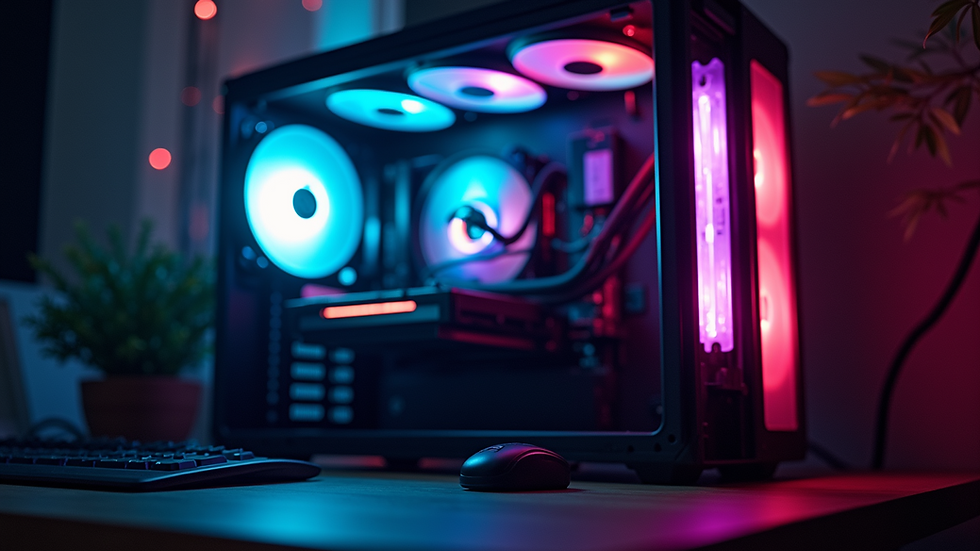
RGB Lighting: Many components now come with RGB lighting options, allowing you to create a visually stunning setup.
Cable Management: Use cable sleeves or custom cables to keep your build looking clean and organized.
Cooling Solutions: Consider aftermarket coolers that not only perform well but also look great.
Cooling Solutions
Effective cooling is crucial for maintaining performance and longevity. Here are some popular cooling options:
Air Coolers: Noctua NH-D15 is a top choice for air cooling, providing excellent performance and low noise levels.
Liquid Cooling: AIO (All-In-One) coolers like the Corsair H100i offer superior cooling for high-performance builds.
Building Your PC: Step-by-Step Guide
Once you’ve selected your components, it’s time to build your PC. Here’s a simplified step-by-step guide:
Prepare Your Workspace: Ensure you have a clean, static-free environment.
Install the CPU: Carefully place the CPU into the motherboard socket.
Add RAM: Insert the RAM sticks into the appropriate slots.
Install the Motherboard: Secure the motherboard into the case.
Add Storage: Install SSDs and HDDs as needed.
Install the GPU: Insert the graphics card into the PCIe slot.
Connect Power Supply: Attach all necessary power cables.
Cable Management: Organize cables for better airflow and aesthetics.
Install Cooling: Attach your cooling solution.
10. Final Checks: Ensure everything is connected before powering on.
Troubleshooting Common Issues
Even with careful planning, you may encounter issues during your build. Here are some common problems and solutions:
No Power: Check all power connections and ensure the PSU switch is on.
No Display: Reseat the GPU and check monitor connections.
Overheating: Ensure fans are working and that there is proper airflow.
Conclusion
Building a custom PC in 2023 is an exciting venture that allows gamers to tailor their systems to their specific needs. Whether you opt for an entry-level, mid-range, or high-end build, understanding your requirements and budget will guide you in creating the perfect gaming machine. With the right components, you can enjoy an immersive gaming experience that meets your expectations.
Now that you have the knowledge, it’s time to start planning your build. Happy gaming!

Comments